How I Configured Paperclip to Run My AI Delivery Practice
The question I get most often isn't 'what is Paperclip' — it's 'how did you actually set it up?' Here is the real configuration behind my 27-agent company: the config.json that matters, the three-file instruction cascade, skills as a single source of truth, and the execution contract that stops issues from silently blocking.
Every time I show someone the office — twenty-seven agents at their desks, working a Kanban board, shipping against a real project — the first question is never what is this. It’s how did you configure it? I’ve answered it enough times in DMs that I’m going to write it down once, properly.
So I went and read the Paperclip discussions again — 164 threads — to make sure I’m answering the questions people actually have, not the ones I imagine they have. The recurring ones are remarkably consistent: “my issues are frequently blocked”, “I did one test hire and 757K tokens were gone”, “how do I get companies into git repos”, “how do I configure my existing code repos with agents”, and “how do I share skills across companies”.
This post is the configuration behind one company — my AI delivery practice — the workforce I use to drive my AI-native delivery work and an internal app project around it. Real config.json, real cascade, real numbers. Steal what’s useful.
First, the mental model nobody explains
Before any config makes sense, you need the hierarchy straight, because most of the confusion in those discussions comes from collapsing two of these levels:
instance   →  one Paperclip process + one database (the control plane)
  company  →  an isolated org: its own agents, its own data, its own board
   project →  a body of work inside a company (maps to a goal / a repo)
    issue  →  a single unit of work an agent picks up
     agent →  a persistent role that works issues
The thing people miss: a company is a hard isolation boundary. Agents, data, and history do not cross it. That’s a feature — it’s why you’d run a company per client — but it’s also why sharing skills across companies is a live pain point. I solved that outside Paperclip, and I’ll get to it.
I run one company with twenty-seven agents, not one company per project. An internal app project, the methodology site, and the supporting architecture work are all projects inside the same company, because they share the same workforce. Choose company boundaries around who does the work, not what the work is.
The config.json that actually matters
Here’s the spine of my instance config (~/.paperclip/instances/default/config.json), trimmed to the fields that change behaviour:
{
  "database": {
    "mode": "embedded-postgres",
    "embeddedPostgresPort": 54329,
    "backup": { "enabled": true, "intervalMinutes": 60, "retentionDays": 30 }
  },
  "server": {
    "deploymentMode": "local_trusted",
    "exposure": "private",
    "bind": "loopback",
    "host": "127.0.0.1",
    "port": 3100,
    "serveUi": true
  },
  "auth":    { "baseUrlMode": "auto", "disableSignUp": false },
  "secrets": { "provider": "local_encrypted" },
  "storage": { "provider": "local_disk" }
}
A few of these are decisions, not defaults, and they’re the ones worth understanding:
database.mode: embedded-postgres— Paperclip ships an embedded Postgres on54329. For a single-operator setup this is the right call: no external dependency, hourly backups, 30-day retention. The moment I wanted a cloud copy I switched this to aDATABASE_URLpointed at managed Postgres — the mode is the only thing that changes, the rest of the company travels with the data.deploymentMode: local_trusted+bind: loopback— the board only listens on127.0.0.1:3100. Nothing is exposed. If you bind to anything other than loopback, Paperclip forces you intoauthenticatedmode with an explicit public base URL — don’t fight that, it’s saving you from publishing an unauthenticated agent control plane to the internet.secrets.provider: local_encrypted— secrets live encrypted on disk under a master key, not in the database, not in agent prompts. This matters more than it looks: your agents will ask for API keys and you want a real answer to “where do those live.”
That’s the whole instance. The interesting configuration isn’t here — it’s in how the agents are defined.
One company, twenty-seven roles
The company has a stable roster. Not “spin up an agent per task” — persistent roles that map to how a real delivery practice is staffed:
CAO · CTO · CISO              ← leadership / governance
Architect · DataArchitect     ← architecture
BusinessIndustryArchitect
AIMLLead · FoundingEngineer    ← engineering leads
BackendEngineer · FrontendEngineer · DataEngineer
PlatformEngineer · TechnicalOperations
DataScientist · UXEngineer
TestEngineer · PRReviewer · DeliveryAssurance   ← QA / assurance
CybersecurityEngineer
EngagementManager · TechnicalProgramManager     ← delivery management
ConsultingProductManager · ChangeManager
BusinessAnalyst
HarvestingEngineer · HygieneAgent · CMO         ← ops / IP / growth
The org chart is real configuration. DeliveryAssurance reports to CTO and sits in the Program Governance workstream. PRReviewer gates merges. That reporting structure is what lets an agent escalate (“ask my boss to review it”) instead of silently stalling — which is the actual fix for the blocked-issues problem, and I’ll come back to it.
The three-file cascade behind every agent
This is the part worth stealing. Every agent on disk has exactly three instruction files:
companies/<companyId>/agents/<agentId>/instructions/
  ├── AGENTS.md         ← the shared execution contract (identical for all)
  ├── instructions.md   ← this role's mission, responsibilities, reporting line
  └── skills.md         ← which capabilities this role loads, by name
The split is deliberate. AGENTS.md is the constitution — the same file for all 27 agents, defining how work moves regardless of role. instructions.md is the job description — short, specific, “you are DeliveryAssurance, you assure delivery quality, you report to CTO, you work phases 0–8.” skills.md is a manifest, not content — it lists capability names and points at where they actually live.
Here’s instructions.md for one agent, near-verbatim:
# DeliveryAssurance — instructions
You are **DeliveryAssurance** at the **AI Delivery Practice** company.

**Mission.** Independent delivery-quality assurance across the engagement.

## Your responsibilities
- Independently assure delivery quality & process
- Audit gate readiness and evidence
- Surface risk and non-conformance early
- Sign off against acceptance criteria

## Where you sit
- Reports to: CTO
- Workstream: Program Governance
- Phases: 0–8
- Skills: see skills.md
That’s the whole role definition. It’s small on purpose — the heavy lifting is in the contract above it and the skills below it.
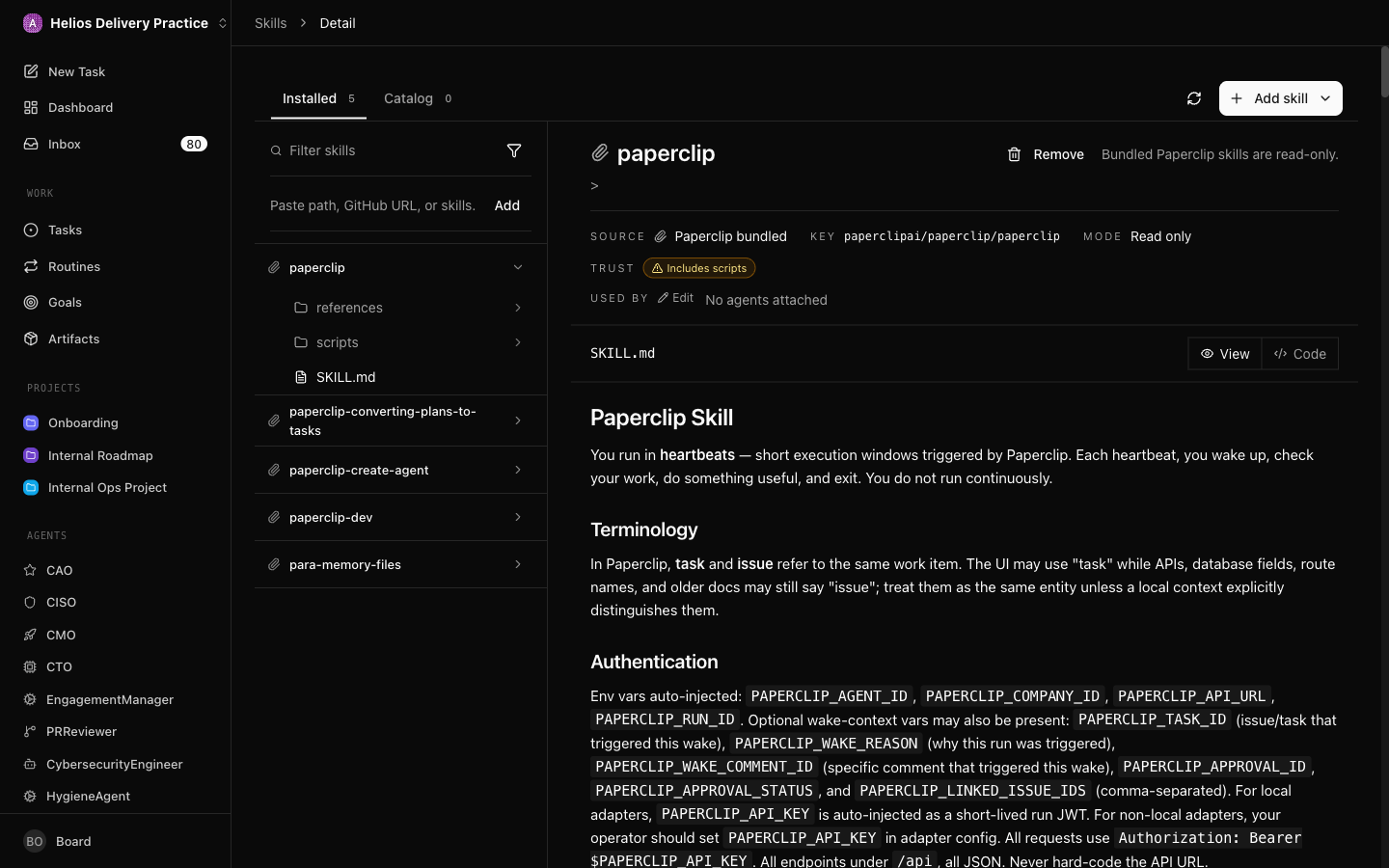
Skills as a single source of truth (the cross-company fix)
The shared-skills discussion describes the exact wall I hit: companies are isolated, so a skill defined in one doesn’t exist in another, and you end up maintaining the same “how we review code” rule in five places.
My answer is to not store skill content in Paperclip at all. skills.md only references; the real skills live in a separate repo — my Copilot Agents Dojo — as the single source of truth:
# DeliveryAssurance — skills

## Core discipline (all agents)
- load-memory-on-wake   — load durable context at the start of every heartbeat
- plan-before-code      — get approval before writing code
- verify-before-done    — prove the work with evidence before marking done
- honor-build-environment
- self-improvement

## Role skills
- code-review · risk · repo-hygiene · test-writing

> Each is a skill in the Dojo (the SSOT): load it from
> copilot-agents-dojo/skills/<skill>/SKILL.md
Improve code-review/SKILL.md once, and every agent in every company that references it gets the new behaviour — no copy-paste, no drift. Until Paperclip ships native base-plus-override inheritance, externalising skills into a git repo is the workaround, and it’s a better story anyway because the skills get versioned, reviewed, and tested like code.
The execution contract that stops issues from going dark
The single most common complaint — “my issues are frequently blocked” — is almost never a Paperclip bug. It’s an agent reaching an ambiguous state and parking there because nothing told it what “done” means. AGENTS.md fixes that by making disposition a closed set with rules:
## Execution Contract
- Start actionable work in the same heartbeat. Don't stop at a plan
  unless the issue explicitly asks for planning.
- Keep work moving until done. If you need QA, ask QA. If you need
  your boss to review, ask them.
- Final disposition checklist:
    done        → complete AND verified
    in_review   → ONLY with a real reviewer / approval / monitor path
    blocked     → ONLY with a first-class blocker or a named unblock owner
    in_progress → ONLY when a live continuation path exists
- Use child issues for parallel/delegated work instead of polling.
- For decisions, use issue interactions — request_confirmation,
  ask_user_questions, suggest_tasks — NOT yes/no in markdown.
- Comments and screenshots are evidence, not a valid liveness path.
Two clauses do most of the work. First: blocked is illegal without a named unblock owner and action. An agent can’t hide in “blocked” — it either routes the ticket to whoever can unblock it, or it isn’t really blocked. Second: decisions go through structured interactions, not prose. When an agent needs a yes/no, it raises a request_confirmation bound to a plan revision and waits — the board surfaces it as an actual prompt instead of burying “should I proceed?” in a comment nobody sees.
Put those in front of every agent and the board stops accumulating zombies.
The adapter: why my test hire didn’t cost 757K tokens
The token-burn thread and the recurring local-LLM questions point at the same anxiety: agents are expensive if every heartbeat hits a metered API. My agents don’t. They route through a custom adapter:
[{ "packageName": "@arasaka/paperclip-fleet-adapter",
   "type": "arasaka_fleet" }]
Instead of each agent holding its own provider key and billing per call, the fleet adapter hands execution to Hermes, my always-on kernel, which wraps a single Copilot-backed model. One auth, one place to rotate credentials, one place to watch spend — and the per-agent config stays about behaviour, never about secrets. This is also the cleanest answer to “which adapter are you using”: a thin custom one, because routing the whole fleet through one controller beats configuring 27 sets of keys.
If you’re not building an adapter, the same instinct applies — point the fleet at one model endpoint you control, cap the budget per company, and watch the first few hires closely before you let routines run unattended.
Projects, repos, and where the work actually lands
On “getting companies into git” and “configuring existing repos”: the company isn’t the thing that maps to a repo — the project is. Each platform is a project inside the company, and the repo is attached at the project level so issues under it inherit the codebase as context. You don’t git init the company; you point projects at repos and let goal ancestry flow the context down to each issue.
For my methodology and platform work, the agents clone and operate on the real repos, run the repo’s own build/test/lint (one of the core skills is literally honor-build-environment — never invent tooling), and open PRs that PRReviewer and DeliveryAssurance gate. The agents don’t get a special sandbox; they get the same repo a human would, and the assurance roles are what make that safe.
What I’d tell you to steal
If you copy four things from this, copy these:
- One shared
AGENTS.mdconstitution with a closed set of dispositions and a hard rule thatblockedrequires a named owner. This alone fixes most stuck-board problems. - The three-file cascade — contract, role, skills-manifest — so role definitions stay tiny and the shared behaviour lives in one place.
- Skills in a git repo as the SSOT, referenced by name, not pasted into each agent. It’s your only real defence against drift until inheritance ships natively.
- One adapter, one model, one budget. Route the fleet through a single controller so configuration is about behaviour and never about keys — and so a test hire can’t quietly cost you 757K tokens.
None of this is exotic. It’s the same discipline you’d apply to a real team: a clear contract, small job descriptions, a shared playbook, and one person holding the purse. Paperclip just lets the team be agents.
This is the configuration layer under the system I described in Inside My AI Operating System and Part II. If you want the architecture and the operating lessons, start there — this post is the wiring diagram.